No vague reassurances. If something matters to how your agency runs, the answer is here — straight from the product.
PRODUCT PROOF — REAL SCREENS
Everything you see here ships in the platform today
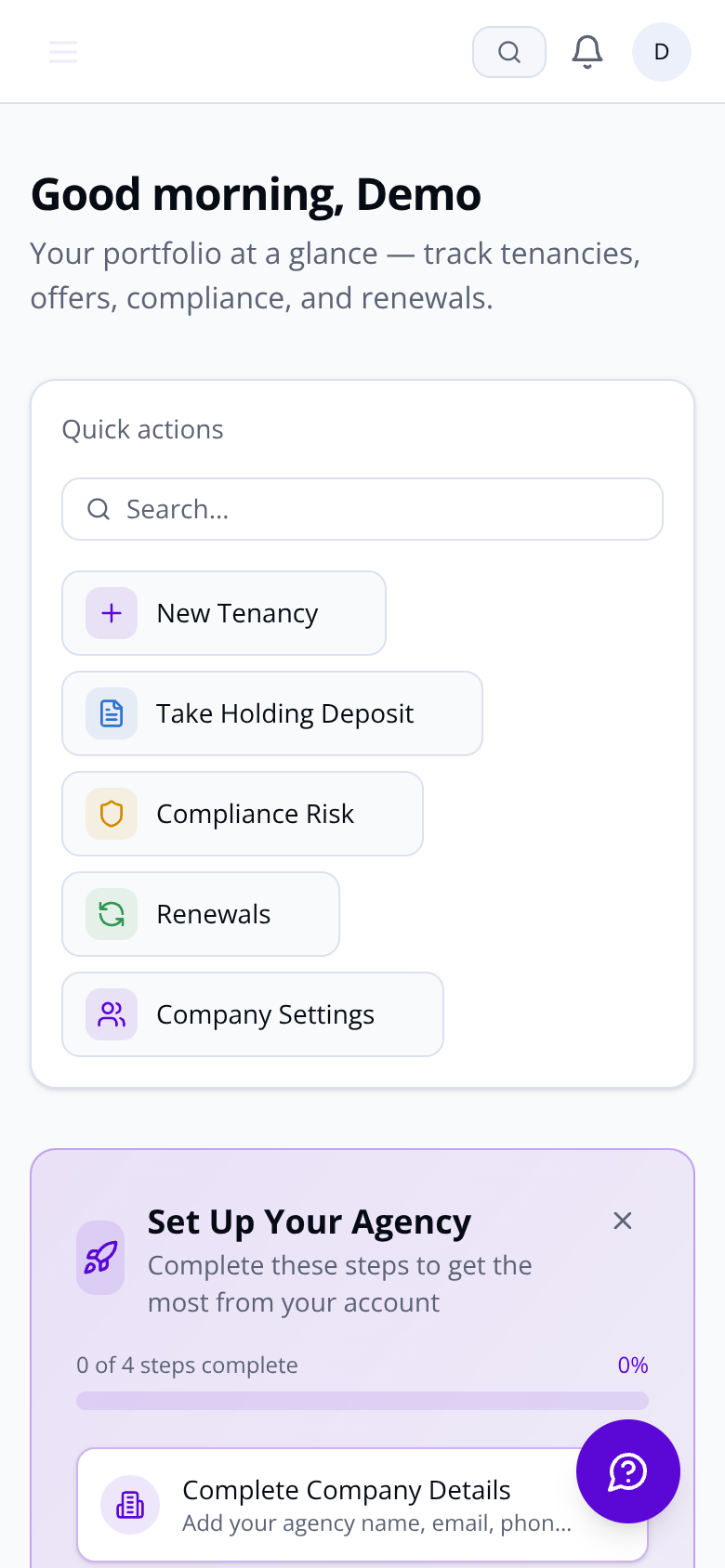
The dashboard aggregates your live portfolio — KPIs, outstanding items, renewals pipeline and new lets — the moment you log in. No manual pulling of reports.
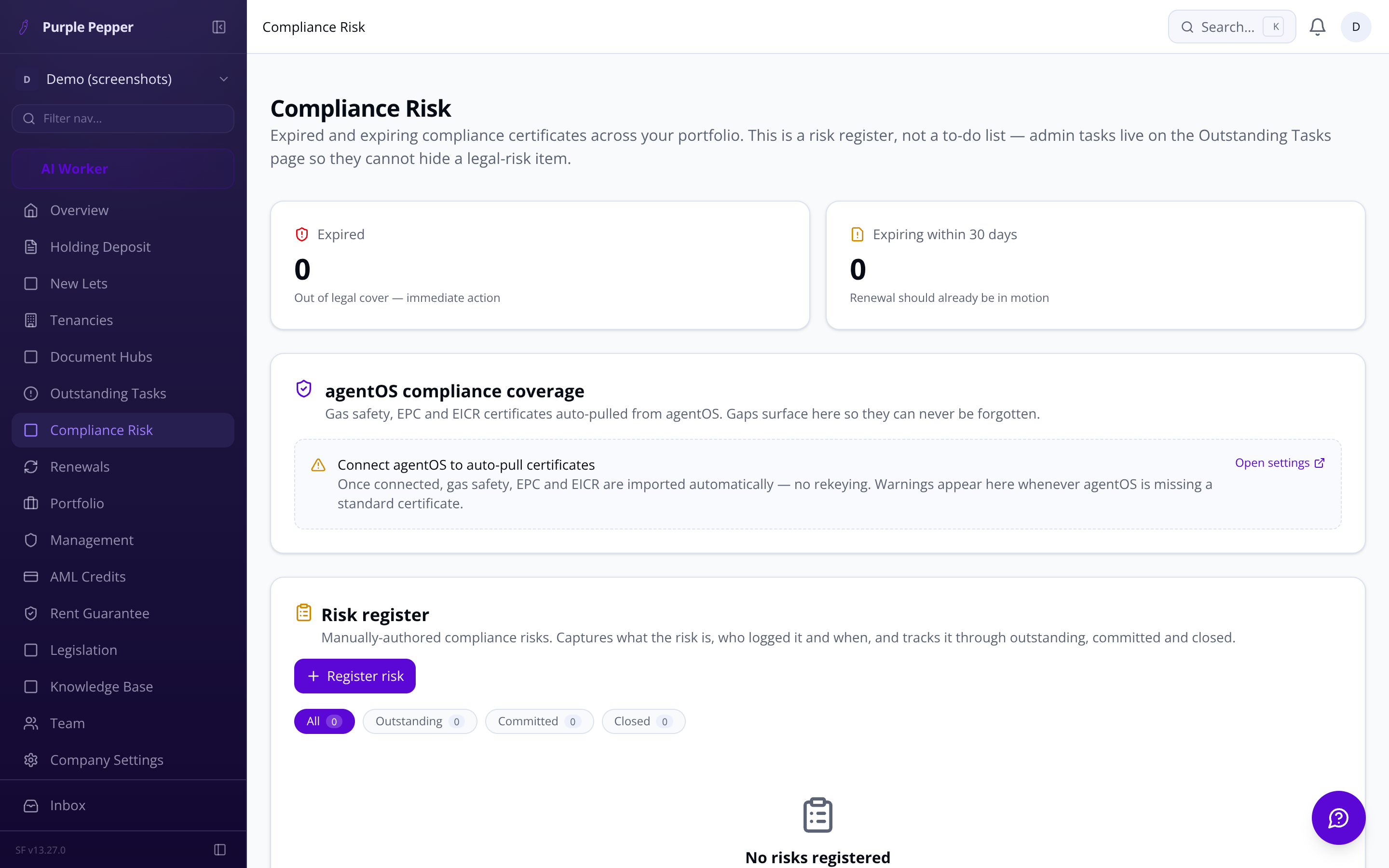
Gas Safety, EPC, EICR — expiry tracked automatically
When a certificate is within 30 days of expiry, the dashboard flags it. When a new one is uploaded, it goes straight to all active tenants on that property — no chasing required from the agent.
Expiring Soon and Expired tabs appear automatically in portfolio
Renewed certificates distributed to tenants via email and tenant portal
Full audit trail of every document send
AML / KYC — BUILT IN
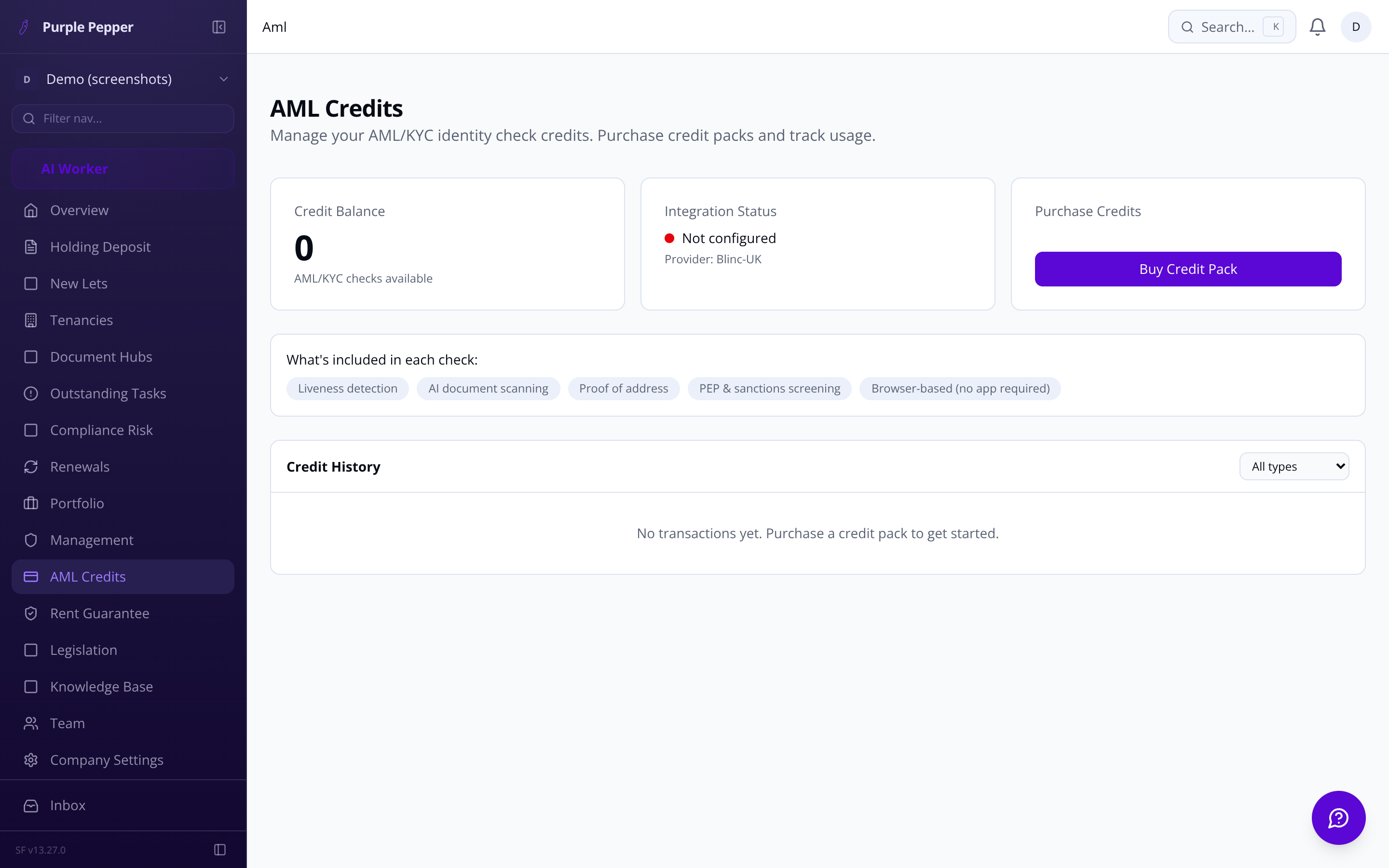
Identity checks without leaving the tenancy record
Blinc-UK AML/KYC runs browser-based liveness tests and document scanning directly from the applicant record. No separate portal. No app download for applicants. Credits are consumed pay-as-you-go and tracked per agency.
Before completing a renewal, the platform also checks tenant and landlord names against the UK government sanctions register (OFSI/UKSL) and shows a match score — so you are covered without running a separate search.
DEPOSITHolding deposit received via Calmony Pay — status updated to Paid & Referencing2:10
REFERENCINGBlinc-UK reference check initiated for lead applicant3:07
[ STILL HAVE A QUESTION? ]
Not everything fits in a FAQ
If your question is specific to your agency's setup — multi-branch structure, legacy system migration, or a particular deposit scheme — email us or book a demo below.
No. Purple Pepper connects to AgentOS via the CoreApi OAuth connection and syncs both ways — property, tenancy, landlord and tenant data. Agreements signed in Purple Pepper sync back automatically.
Which deposit schemes are supported?
TDS, DPS, and MyDeposits are all supported. Flat Fair (zero deposit) connects via API. Deposit Clear, a SaaS Factory suite product, is also available. Scheme selection is required at the invitation stage.
DOCUMENT HUBS — SINGLE SECURE LINK
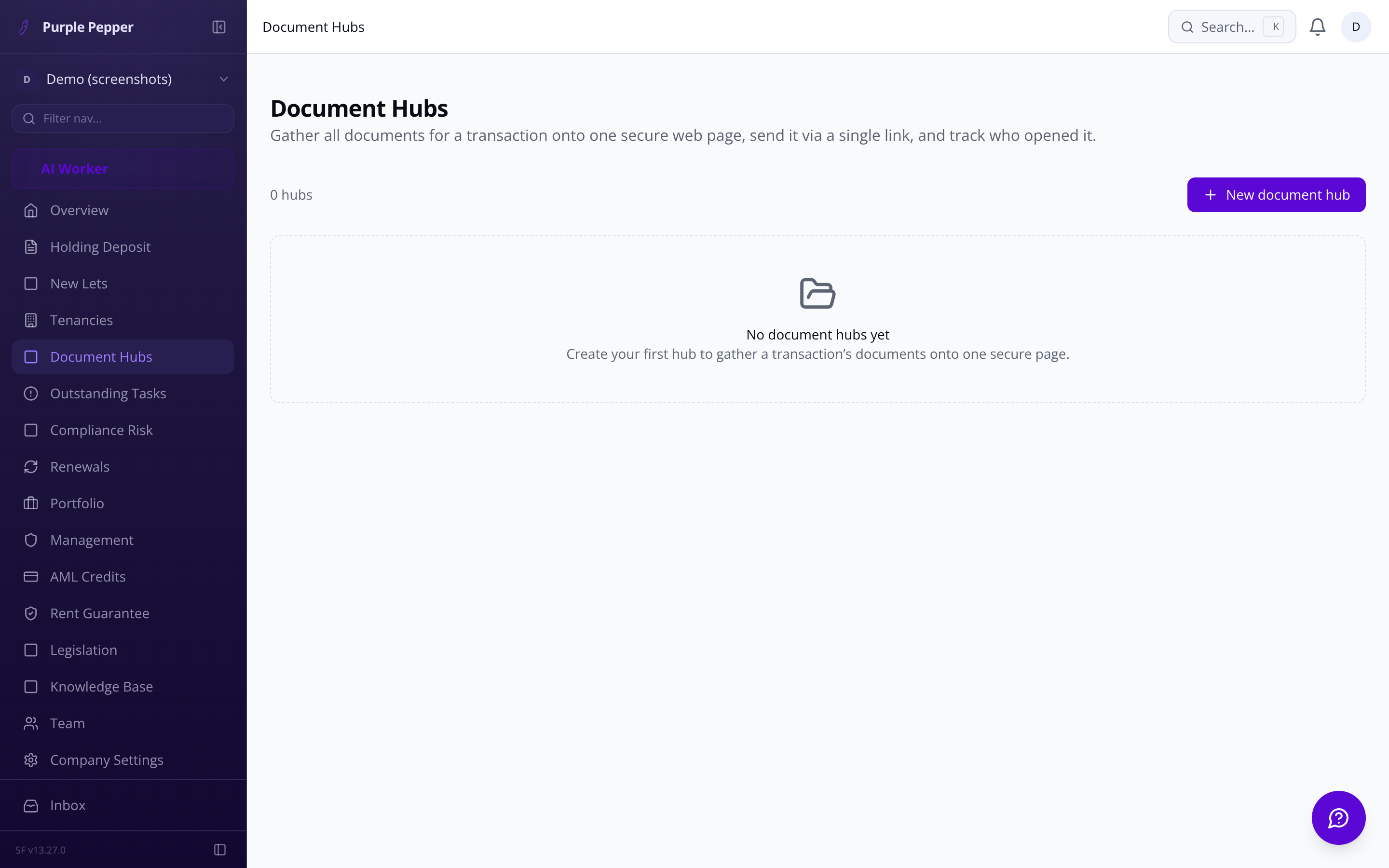
Every document for a tenancy on one web page
Tenancy agreement or occupation contract, Gas Safety, EPC, EICR, prescribed information, deposit certificate — all on a single secure page sent via one link. Tenants can sign on mobile, tablet or desktop. No app download required.
Red/green visual signing status per signatory at a glance
Proof-of-service record even when a tenant has not yet signed
One-click resend at any stage for deleted or spam-lost emails
Configurable chase frequency — daily or weekly — per agency default
FAQ — Purple Pepper | Purple Pepper
Purple Pepper is built to work alongside AgentOS, not against it. A two-way sync keeps core records — tenancies, landlord details, compliance certificates, and tenancy agreements — consistent across both platforms. When a holding deposit is paid, Purple Pepper pushes the let-agreed status to AgentOS and flips the property off portals automatically. Compliance documents (gas safety, EPC, EICR) can be pulled directly from AgentOS, and any missing certificates surface as a visible warning rather than a silent gap. Tenancies created in Purple Pepper sync back into AgentOS so neither system becomes stale.
No download required. Purple Pepper generates a single web page containing all transaction documents — tenancy agreement or occupation contract, compliance pack, prescribed information, and deposit certificates — accessible via a secure link on any phone, tablet, or desktop. Signing happens in three stages: the tenancy or occupation contract first, then the pre-move-in compliance pack, then the post-move-in deposit declaration. You can configure parallel signing (any party, any time) or sequential signing (all tenants before landlord). A colour-coded status indicator shows exactly which party the envelope is currently waiting on. If a tenant loses the email or it lands in spam, a one-click resend is available at every stage without cancelling existing signatures. The system also produces a date- and time-stamped proof-of-service record showing when documents were sent and opened, usable as court evidence even where a tenant has not yet signed.
Very little. Once an offer is accepted, a single button launches the five-stage tenancy setup wizard with applicant names, emails, employment status, and joint applicant details already filled in from the offer submission. The wizard takes agents through property and dates, rent and deposit calculations (with legally correct deposit caps enforced by country — England, Wales, Scotland, or Northern Ireland), tenants and guarantors, cost breakdown and holding deposit, and the draft tenancy agreement. Default to-do checklists defined in your company settings are applied automatically to every new tenancy, so nothing gets missed. Automated welcome emails go to all tenants on completion, and the tenant portal opens immediately with their assigned tasks ready to action. If a tenancy was originally managed outside Purple Pepper, a legacy onboarding path lets you bring it in and run it through the same renewal workflow as any platform-native tenancy.
The renewals pipeline tracks every tenancy against its end date and fires automated, agency-branded email notifications to both landlord and tenant at 90 days and again at 7 days before expiry. These link directly into the respective portals so both parties can act without calling the office. On the agent side, the renewals dashboard buckets every tenancy into seven states — Decision Required, Renewal In Progress, Renewal Confirmed, Renewed, Set To End, Ended, and Action Required — so the queue requiring attention is always visible at a glance. Agents can action a new fixed-term renewal, continue as periodic, or formally end the tenancy directly from the tenancy overview. If a decision date passes without action, the tenancy is automatically flagged Action Required and the responsible agent receives an alert.
Landlord bank details and applicant personal data — including national insurance numbers, dates of birth, and income figures — are encrypted at rest using AES-256-GCM. Every mutation across the platform is captured in a tamper-evident audit log recording who did what, from which device, and when — queryable by tenancy, by user, or across the full company account. Security headers including HSTS, Content Security Policy, X-Frame-Options, and X-Content-Type-Options are enforced at the infrastructure level. Failed authentication and authorisation events are logged rather than silently dropped. For GDPR obligations, Purple Pepper provides a publicly accessible Privacy Policy, a Subject Access Request form routed to a designated DPO, and a data retention mechanism that flags records due for deletion per a defined retention schedule. AML and identity checks are handled through Blinc-UK's browser-based flow — no app download needed for applicants — with results stored against a full audit trail. Before completing a renewal, a sanctions match score drawn from UK government registers (OFSI and UKSL) is surfaced for both tenant and landlord.
Yes. Multi-branch operation is a first-class feature. Each branch has its own name, address, and assigned users. Properties, tenancies, and offers are scoped to the branch they belong to, so a branch agent only sees their own workload. Managers with cross-branch access see a consolidated portfolio view across the whole company. Branch assignment is managed in Company Settings, and where applicable users can be assigned across more than one branch. Per-branch branding overrides mean each branch can present its own identity to tenants and landlords through the portal without requiring a separate company account.
Does it cover Wales and Scotland?
Yes. Occupation Contracts under the Renting Homes (Wales) Act 2016 are supported as a distinct tenancy type. Scotland's 2-month deposit cap rule is enforced. Northern Ireland is also covered. Your default country is set in Company Settings.